
amkrat
Active member
I've read a number of posts regarding the issues with android phones and the new BRP-Go navigation but not much about how things are going with those of us who use iPhones. So here goes:
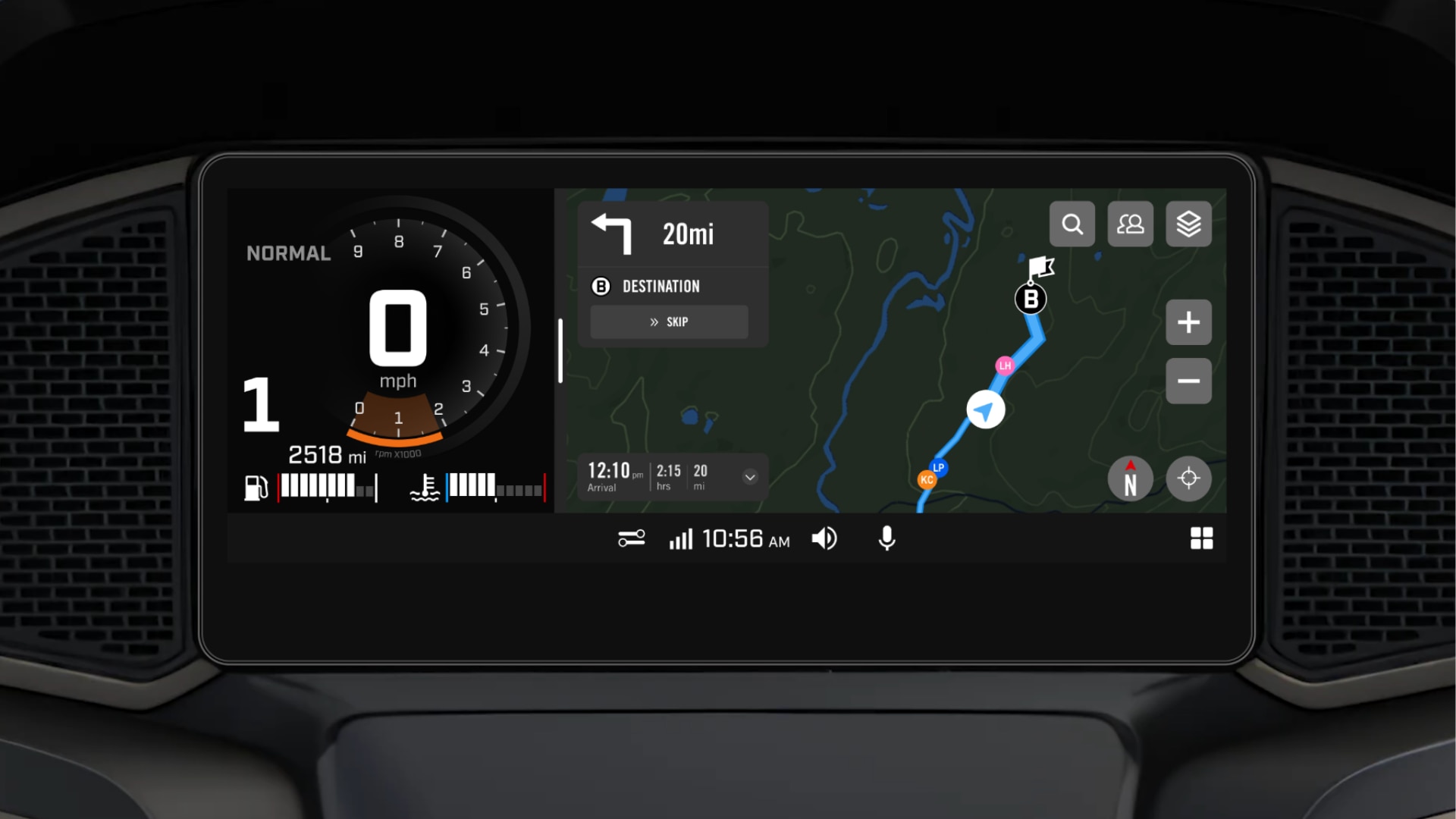
Installation was easy enough with no hiccups. When I got ready for my test ride today, I logged into my BRP-Go app and connected the phone to the USB cable. With ignition on, I went to the preferences applet, then down through General to Navigation, which I turned on. After selecting Navigation on the applet screen, the map displayed. I ran into a little trouble at that point because I also wanted to listen to music through my headset. I moved the BRP-Go app screen aside to find my music app and the map disappeared. Once I got the music playing, I went back to the BRP-Go app screen and it reconnected. Great so far.
I rode for about 50 miles or so and the navigation was working perfectly. I had also selected "record this ride" and it was leaving a nice black line in my wake. I stopped for about 30 minutes, taking my phone with me. When I returned and plugged the phone back in, everything appeared to be functioning as it should. After a short distance, I discovered that the screen was no longer scrolling to keep the vehicle icon centered on the map. It got to the edge of the screen and disappeared. I stopped to activate the touch screen, and slid the map over until the icon was once again present. So, the navigation was still recording my progress, but I was losing my position as soon as the icon reached the edge of the screen. I tried switching navigation off and back on, but that made no difference. I then found, in the lower right corner of the screen, the icon you use to change map orientation i.e. North up, Current direction up, or 3D. I cycled through it and got things working again. Of course, all of this had to be done while stopped, so it got to be a little frustrating.
I'll try it again tomorrow to see if this was just an anomaly. I hope it was. I think that Apple CarPlay will still be my navigation of choice though. It is just more convenient to select and use, especially since I ride with my helmet on and the headset connected for music and intercom.
Oh, by the way, the 'record my ride' feature gave a bunch of interesting data about the ride. Distance, average speed, time, etc.
Installation was easy enough with no hiccups. When I got ready for my test ride today, I logged into my BRP-Go app and connected the phone to the USB cable. With ignition on, I went to the preferences applet, then down through General to Navigation, which I turned on. After selecting Navigation on the applet screen, the map displayed. I ran into a little trouble at that point because I also wanted to listen to music through my headset. I moved the BRP-Go app screen aside to find my music app and the map disappeared. Once I got the music playing, I went back to the BRP-Go app screen and it reconnected. Great so far.
I rode for about 50 miles or so and the navigation was working perfectly. I had also selected "record this ride" and it was leaving a nice black line in my wake. I stopped for about 30 minutes, taking my phone with me. When I returned and plugged the phone back in, everything appeared to be functioning as it should. After a short distance, I discovered that the screen was no longer scrolling to keep the vehicle icon centered on the map. It got to the edge of the screen and disappeared. I stopped to activate the touch screen, and slid the map over until the icon was once again present. So, the navigation was still recording my progress, but I was losing my position as soon as the icon reached the edge of the screen. I tried switching navigation off and back on, but that made no difference. I then found, in the lower right corner of the screen, the icon you use to change map orientation i.e. North up, Current direction up, or 3D. I cycled through it and got things working again. Of course, all of this had to be done while stopped, so it got to be a little frustrating.
I'll try it again tomorrow to see if this was just an anomaly. I hope it was. I think that Apple CarPlay will still be my navigation of choice though. It is just more convenient to select and use, especially since I ride with my helmet on and the headset connected for music and intercom.
Oh, by the way, the 'record my ride' feature gave a bunch of interesting data about the ride. Distance, average speed, time, etc.