• There were many reasons for the change of the site software, the biggest was security. The age of the old software also meant no server updates for certain programs. There are many benefits to the new software, one of the biggest is the mobile functionality. Ill fix up some stuff in the coming days, we'll also try to get some of the old addons back or the data imported back into the site like the garage. To create a thread or to reply with a post is basically the same as it was in the prior software. The default style of the site is light colored, but i temporarily added a darker colored style, to change you can find a link at the bottom of the site.

Problem attaching photo

Snoking1127

Well-known member
Can not get the attach files to work to attach a photo that I right sized???? Try I different photo that I have attach previously and still no go. Anyone else having issues.
 
Just tried again an it worked here.
Chuckanut dr.jpg

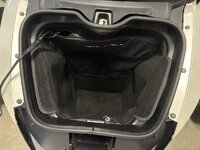
This is crazy, I went to the "What did you do to your Spyder today thread and it will not attach this photo. I edited and removed the photo here and reattached it with out issue.
 
Last edited:
I've just checked that 'Attach files' facility fairly extensively, and it seems to be working fine, at least for me, so maybe there's an issue on your end. :unsure:

That said, once you've used the 'Attach files' facility to go to your device and select the file/pic you want, then you've 'opened' your chosen pic/image, what exactly happens? Anything at all, or what? Do you even get that far? :unsure::unsure:

Does it bring you back to the Forum software and the Post reply text entry screen, and do you get the 'Attachment' file showing in the 'Attach files' block below the text field, with the word 'Insert' showing in its top left corner, so that you can click on 'Insert' and then 'Thumbnail'? For more, see notes 1 & 2 below:

1. If you do get all that, have you placed & clicked so that your cursor is in the text field where you want the pic to appear, or have you forgotten to do that so the software doesn't know where to insert the thumbnail? If that's the case, it won't upload and attach the image, or if it does, it stuffs it somewhere on the Forum servers I've never found/been able to find, but your pic should still appear as a linked file with the word 'Attachment' showing above the pic if you go on and submit the post; in which case you should then be able to edit your post and follow the numbered steps to finish the 'Insert as a thumbnail' as listed in the 'PLEASE UPLOAD...' Sticky.​
2. If you don't get that, you might want to check that when you click on 'Attach files' and it takes you to your devices' file manager, that the file manager hasn't defaulted to only show 'Compressed (zipped) folders' or files - it needs to show All file types, or at least JPEG & WEBP files - there might be others that it'll accept, but I cannot recall any more off the top of my head right now.​

Over to you.
 
Just tried again an it worked.
View attachment 255243

Are you sure?? I can see @racoon's thumbnail, but I cannot see your attachment above, either on the screen in your post or even if I try to open the attachment directly by clicking on the link - I get the 'Oops, we ran into some problems' msg, with the reason 'The requested page could not be found', which is often what happens if the inserted link to your device is corrupted/incorrect &/or you don't upload and insert the pics as thumbnails... :unsure:
 
Are you sure?? I cannot see the attachment above, either on screen or even if I try to open it directly, which is often what happens if you don't upload and insert them as thumbnails... :unsure:
I can attach it in this thread, however not in the What did you do to your Spyder today thread. I used "attach files" then Insert, then thumb nail. On the other thread it will not do anything when I click insert. I signed on with Microsoft edge browser and it seem to work.
 
Last edited:
It can attach it in this thread, however not in the What did you do to your Spyder today thread.

I couldn't initially see it, but now that you've edited your post #3 above, removed, then re-attached it, I can see your pic, and it shows correctly as a thumbnail on all levels... :rolleyes:

So I'd guess that there's something odd going on/stopping things at your end, possibly the upload from your device to the Forum is taking too long &/or the internet connection is poor/dropping out momentarily during the upload, so we get to see that you tried to upload and insert an attachment, but the Forum Servers never actually got the entire file, even if they got the header... 🤨 Of course, there is always a chance that there's a hiccough occurring at the Forum Server end, but given that a couple of us here have tried to attach thumbnails successfully, and that, at least so far, no one else is having or reporting the same problems, then like I said, I'd guess that the issue is at your end, either your device or your connection. Have you been having any other problems?

Edit: Our posts must've crossed in the ether, but I see you've found & fixed the problem! Bewdy Newk! (y)
 
I'm suddenly channeling my father.
He made these little wooden toys.
It was a square rod with some notches filed into one of the edges, with a "propeller" attached to one end with a brad nail.
He then used a round stick to rub along the notches.
He called it a "whimmy whammy" but there are other names for it.

The thing is that as you rub the round stick along the notices the vibrations cause the propeller to spin.
Simple enough, right?

But he also had a little song he sung while showing it to people.

Whimmy whammy, whimmy whammy
please be good to me
And turn around the other way
When I count 1, 2, 3

And sometimes he's pause between 2 and 3 and frown at the stick like he was concentrating.
And then on "3" the propeller would stop and then start rotating in the opposite direction.

When he first showed it to someone they'd go nuts because they couldn't get it to change directions.
He always told them they were holding their mouth wrong while singing the song.

So if your pictures aren't showing up correctly are you holding your mouth wrong while posting them? :ROFLMAO:


I found a youtube video of someone showing one and how it works.
 
Back
Top